Daily Rewards in +1 Wings For Eggs: 7-Day Claim Guide
Claim Daily Rewards in +1 Wings For Eggs: see the seven-day animal calendar, collect the $2,500 starter gift, and check why later rewards say Not Ready.
FAQ
What does Day 1 give in +1 Wings For Eggs?
Which animal is the Day 7 daily reward?
Is Daily Rewards the same as a daily spin?
Why can I not claim Bunny or Sheep yet?
Does claiming Daily Rewards cost Robux?
Do I need to type a code for daily rewards?
The free reward shown in this recording is a Daily Rewards calendar. There is no random spin in this claim sequence: each day has a named prize, and only the ready card can be collected. This walkthrough separates what the panel promises from what the creator actually claims.
What is on the seven-day reward calendar?
| Day | Reward shown | Label on the card |
|---|---|---|
| 1 | $2,500 Cash | CASH |
| 2 | Bunny | RARE |
| 3 | Sheep | EPIC |
| 4 | Robo Dog | LEGENDARY |
| 5 | Mystical Ladybug | UNCOMMON |
| 6 | Snake | RARE |
| 7 | Rainbow Gorilla | EXCLUSIVE |
These are the labels in the source recording, not a guarantee that the current update uses the same prizes. Days 2–6 read Not Ready!; the Rainbow Gorilla is a Day 7 preview, not an animal claimed in this clip. Keep the English names when matching them to your own interface.
How do you claim the free Day 1 cash?
1. Find the Upgrades stand in the safe zone
Return to the hub and look for the blue-striped Upgrades stall beside Wings. The player reaches it before opening Daily Rewards. You can do this on the starting account; the footage does not require a deep-zone egg or a rebirth.
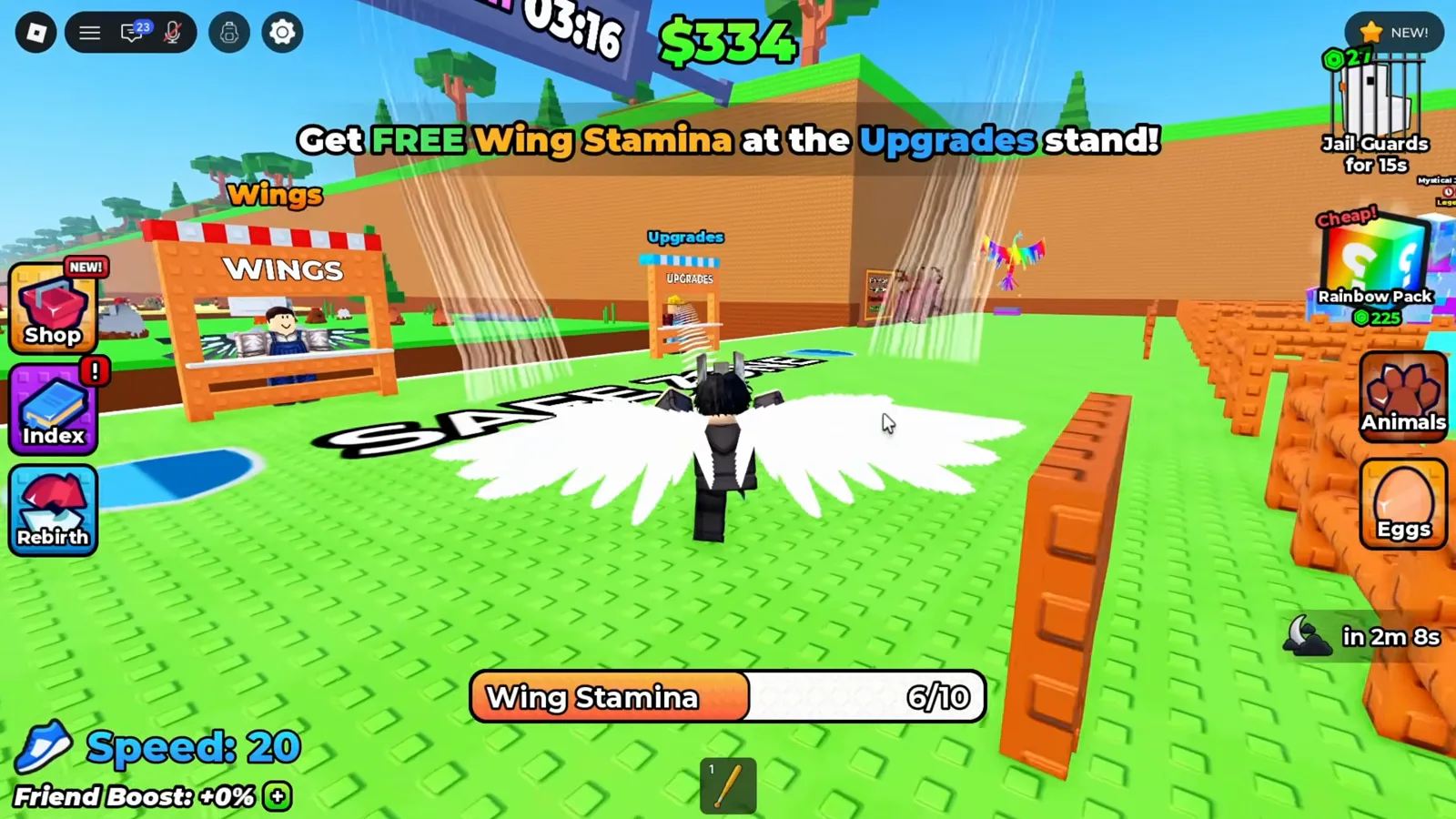
The Upgrades stall is across the safe-zone floor, next to the Wings shop. Watch this step · 0:32
2. Read the calendar before clicking
Open Daily Rewards during the interaction at the stand. Check the day number, prize and readiness label. At this point Day 1 shows Claim! and $2,500 CASH, while later cards have Not Ready! labels. Follow the label on your own account rather than clicking a future animal preview.
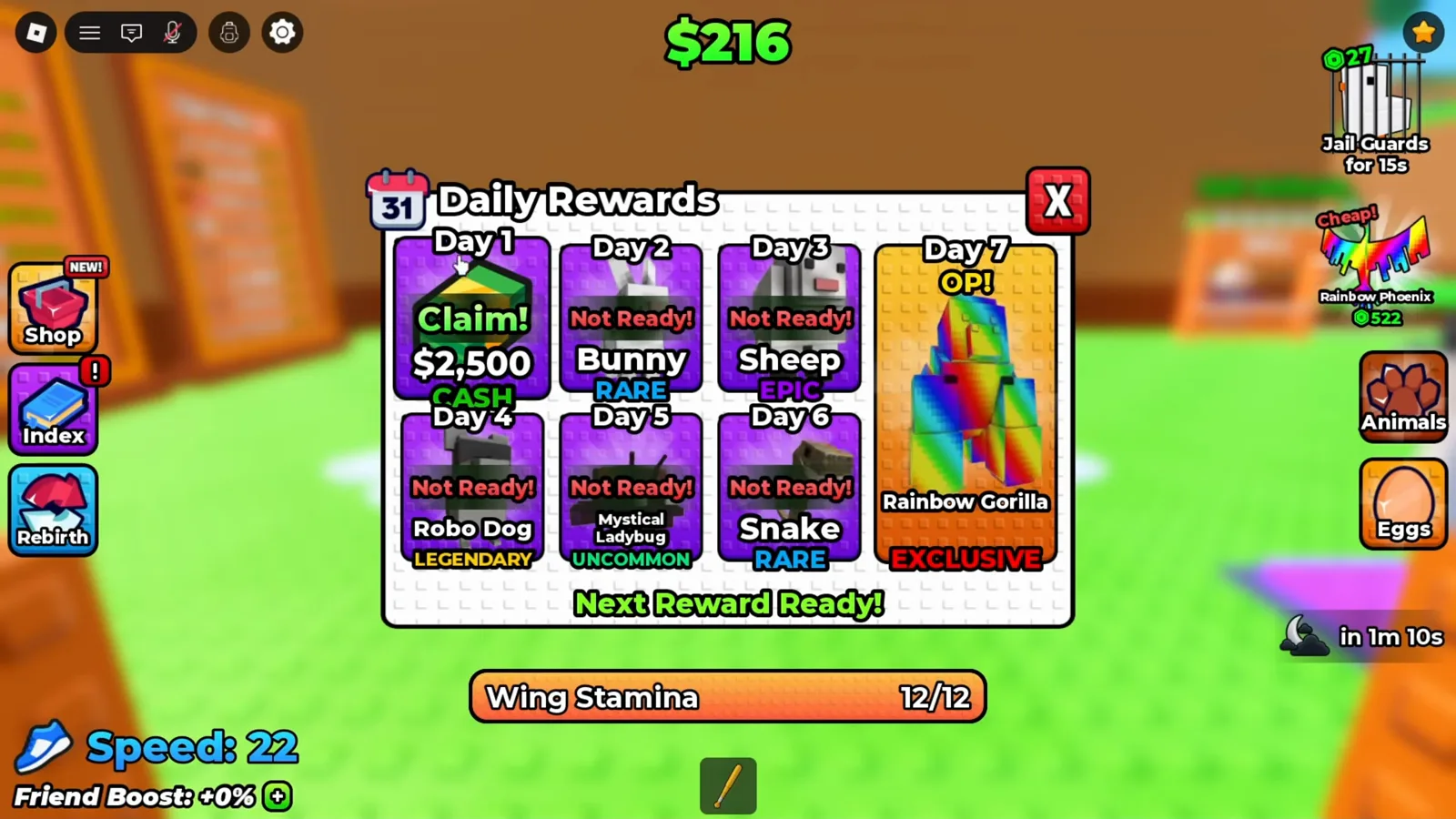
Day 1 is ready; the six animal cards describe the rest of the track. Watch this step · 0:48
3. Select the ready Claim! card
Click the green Claim! on Day 1. The cursor is over that card in the screenshot. No promo string or Robux purchase prompt is involved. The clip then closes the calendar and shows roughly $2.75k cash instead of the preceding $236 balance; pen income can tick during the sequence.
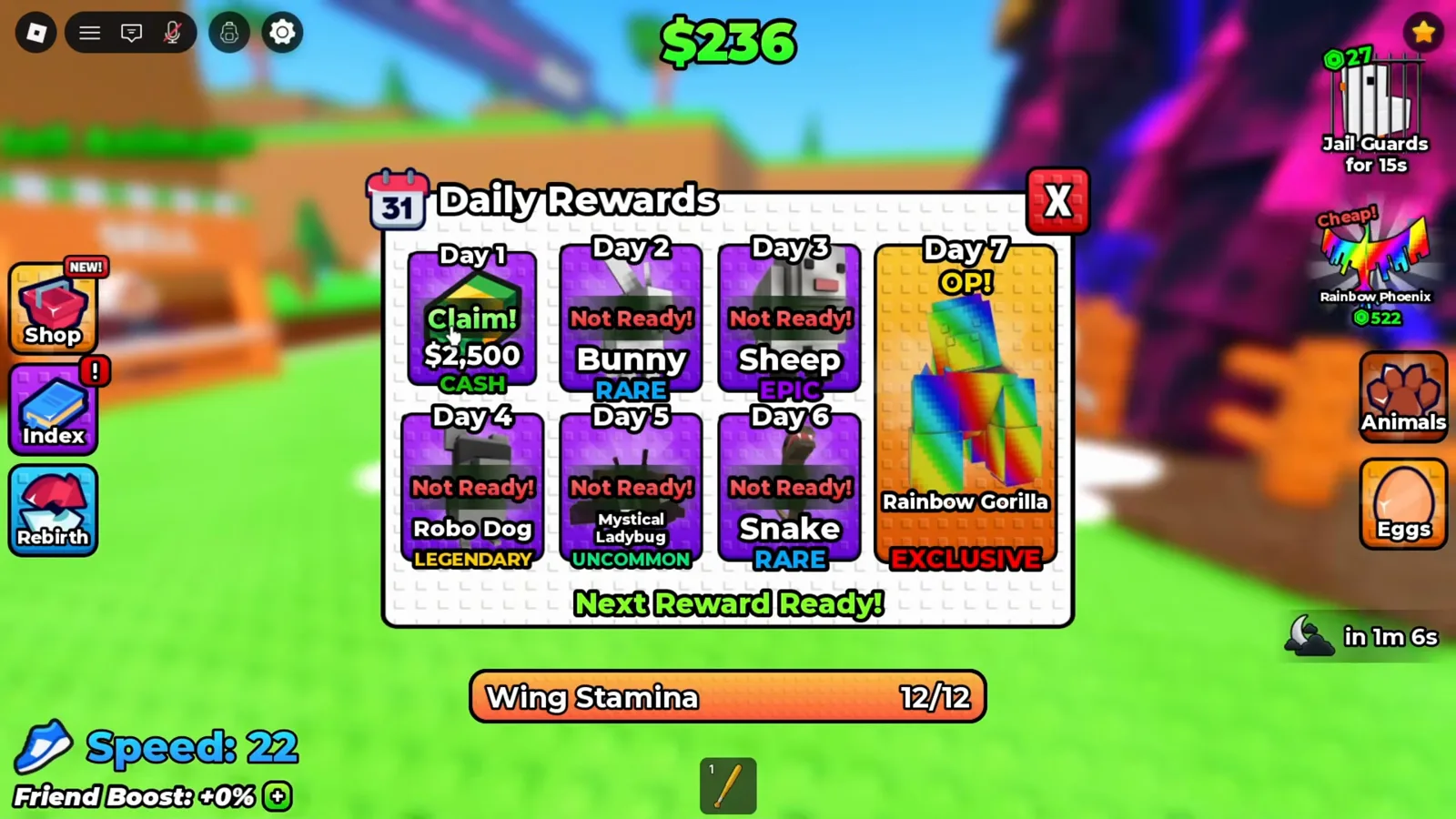
The Day 1 card is the cash claim; the later cards are still unavailable. Watch this step · 0:52
4. Check the balance and spend within your budget
After claiming, check the cash balance at the top. In the following Upgrades screen it reads $2.75k and the next speed point costs $303; stamina is $9k and carry is $500k, so this gift does not buy every upgrade. Use cash prices, not the adjacent Robux chips, if you want to keep the claim free.
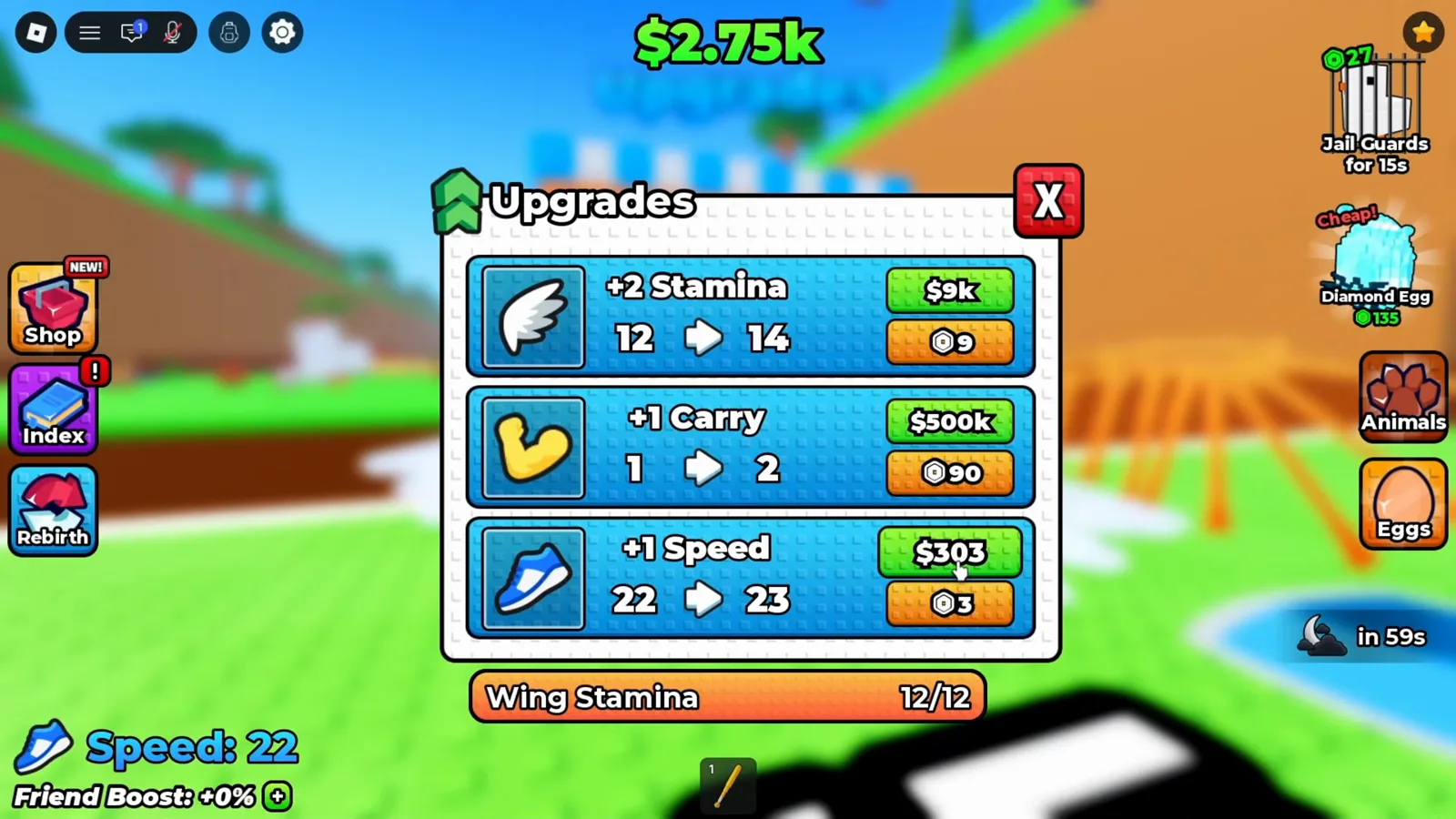
The post-claim balance is visible above the separate cash and Robux prices. Watch this step · 0:54
Why does a reward say Not Ready?
It is the calendar’s availability state. The footage shows one ready cash card and several unavailable animal cards. It does not follow the account through a full day, show a post-claim cooldown, or test missed-day resets. Check your live calendar for the next ready reward. A timer beside the moon icon belongs to the world’s night cycle; it is not evidence of a daily-reward cooldown.
What this recording does not prove
The clip does not claim Days 2–7, measure their cash per second, or show what happens after a missed login. It also does not prove that a claimed animal is automatically equipped. When an animal reward becomes available, check Animals and your pen before assuming it is earning money. The hatching and pen guide explains that part of the loop.
Where should you go after claiming?
Start with the beginner flight route, collect separate Index discovery rewards, and use the cash upgrade order to budget the gift. The codes status page keeps typed promo strings separate from these in-game rewards.
Video source and frame checks
Floppys Pro — NOOB TO PRO Got BEST EGG in +1 Wings For Eggs!. The full transcript was reviewed; the four screenshots at 0:32, 0:48, 0:52 and 0:54 were checked against the interface. They show gameplay UI without a creator face, watermark or burned-in narration captions. The guide describes this recorded session, not a new live-account test.
Related Articles
guides
Index Rewards in +1 Wings For Eggs: Claim Discovery Cash
Claim Index rewards in +1 Wings For Eggs. Read the Forest and Desert cash cards, use Claim or Claim All, and distinguish discovery payouts from animal income.
guides
Lava Event in +1 Wings For Eggs: How to Get a Lava Egg
How to spot the Lava Event in +1 Wings For Eggs, reach a Deep Ocean nest, read the Lava tag, and bank the egg before the event window closes.
guides
Candy Castle Biome Live Event in +1 Wings For Eggs (Oct 9–12 UTC)
Live Candy Castle Biome event in +1 Wings For Eggs: the Oct 9–12 UTC window, 8 eggs and animals, Phantom rarity, Bunbun quest, Candy Wings and Blackhole mutation.
Was this helpful?
Thanks for the feedback!