Index Rewards in +1 Wings For Eggs: Claim Discovery Cash
Claim Index rewards in +1 Wings For Eggs. Read the Forest and Desert cash cards, use Claim or Claim All, and distinguish discovery payouts from animal income.
FAQ
Where do I claim Index rewards?
How much does the Forest Chicken Index reward give?
Is the Desert Pink Frog reward $9.73k or $1.16M?
What does Claim All (1) mean here?
Can I claim the same Index reward repeatedly?
Is Index the same as Daily Rewards or a code?
The Index is both a collection record and a place to claim discovery cash. The blue book button opens it. The important numbers sit in different places: the animal card shows an income rate in $/s, while the Rewards box shows a claim amount. Those are different rewards, so do not budget a trip using the animal’s income as if it were the Index payout.
Which rewards are actually visible in the recording?
| Entry and location | Animal card income | Index reward shown |
|---|---|---|
| Chicken · Forest | $4/s | +$250 |
| Pink Frog · Desert | $9.73k/s | +$1.16M |
These are two recorded examples, not a complete region payout table or a guarantee for every account and update. Both panels show 1/8 progress and Claim All! (1). The numbers describe this session; no post-claim balance difference was measured.
How do you read and claim Index rewards?
1. Open Index and select a ready entry
Use the blue Index book on the left, then choose an entry displaying Claim!. At 1:45 the Forest panel has Chicken selected, with Found in Forest, Common and $4/s on the card. The separate Rewards box reads +$250 and has a green Claim button. Check that box before collecting; the income rate above it is not the payout.
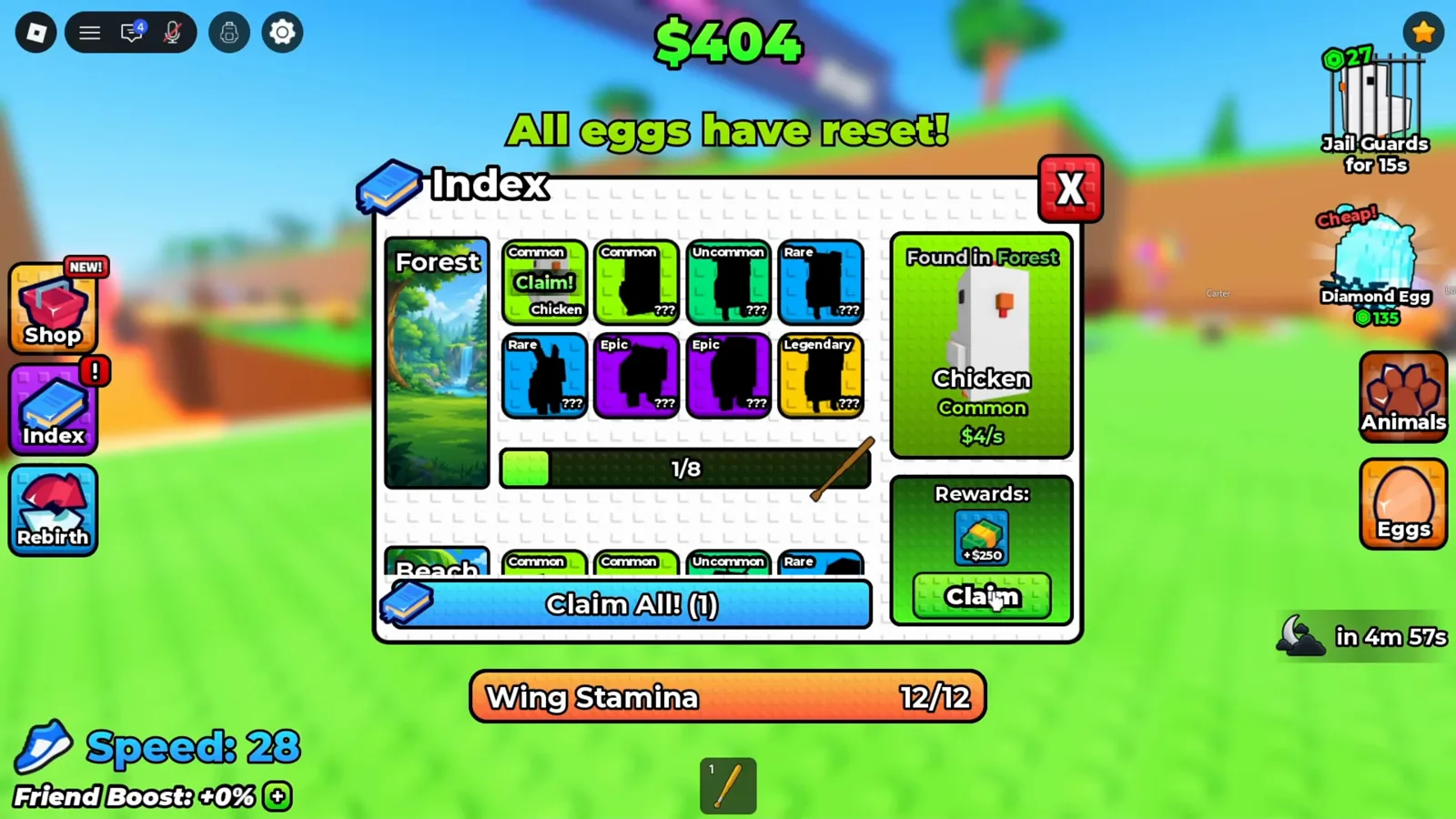
Chicken is selected; its $4/s income and $250 reward occupy separate parts of the panel. Watch this step · 1:45
2. Read the selected reward before using Claim or Claim All
Scroll to another region and select the entry you want to check. The Desert example at 5:56 shows Pink Frog with Common rarity, $9.73k/s income and a +$1.16M reward. Claim targets the selected reward; the bottom Claim All! (1) is the batch option shown when one claim is available. This clip does not measure a large batch across multiple regions.
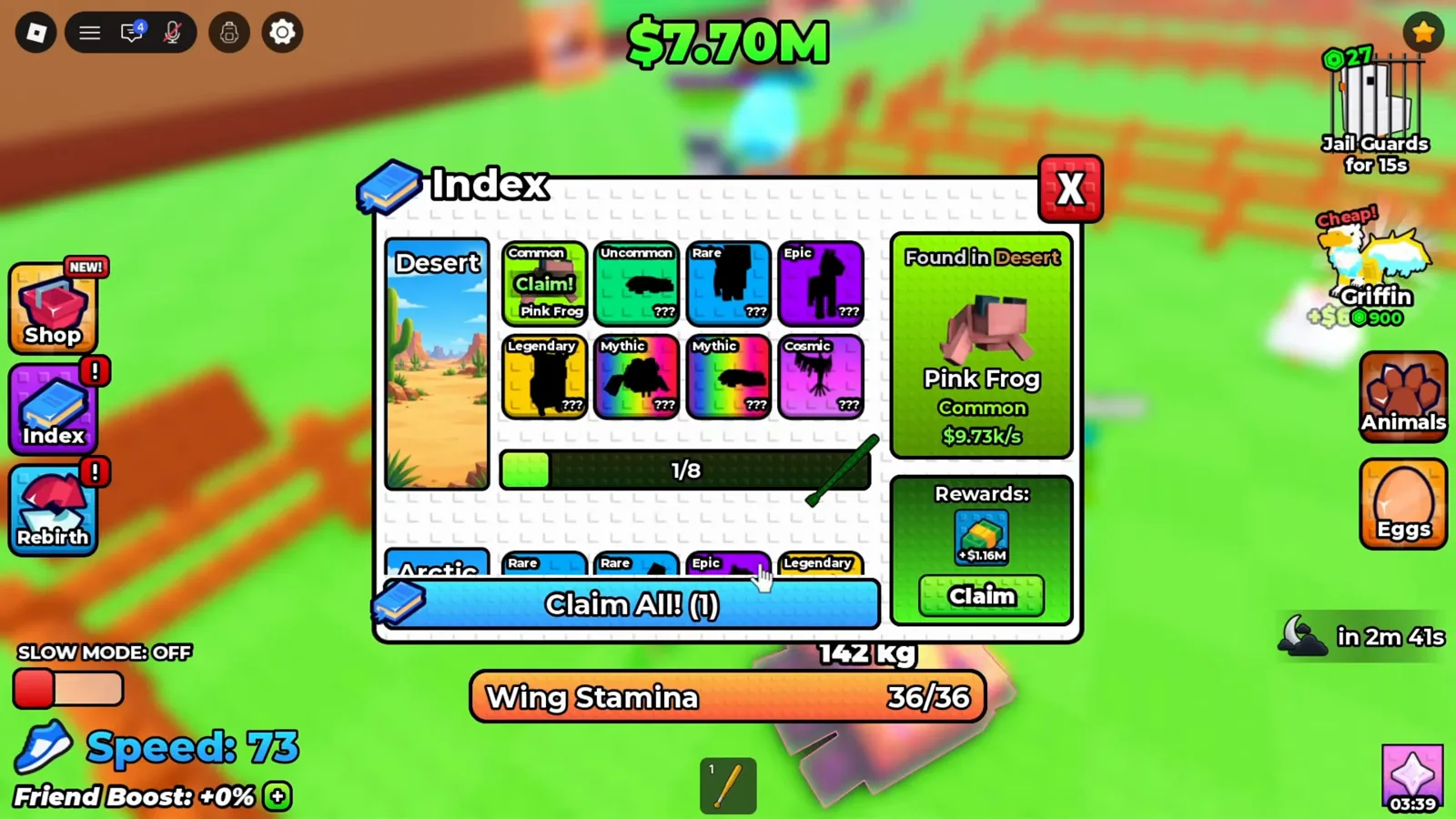
The Desert card previews $1.16M; that is distinct from Pink Frog’s per-second income. Watch this step · 5:56
3. Check Claimed and the card’s Found in location
After collecting, inspect the reward’s status rather than expecting an endless repeat claim. A later view at 24:30 shows Claimed under a selected Sheep card marked Found in Forest. At the same moment the visible grid is Deep Ocean with 8/8 progress. The card and the scrolled grid can show different locations, so identify a reward from its selected card, not from the region artwork beside it.
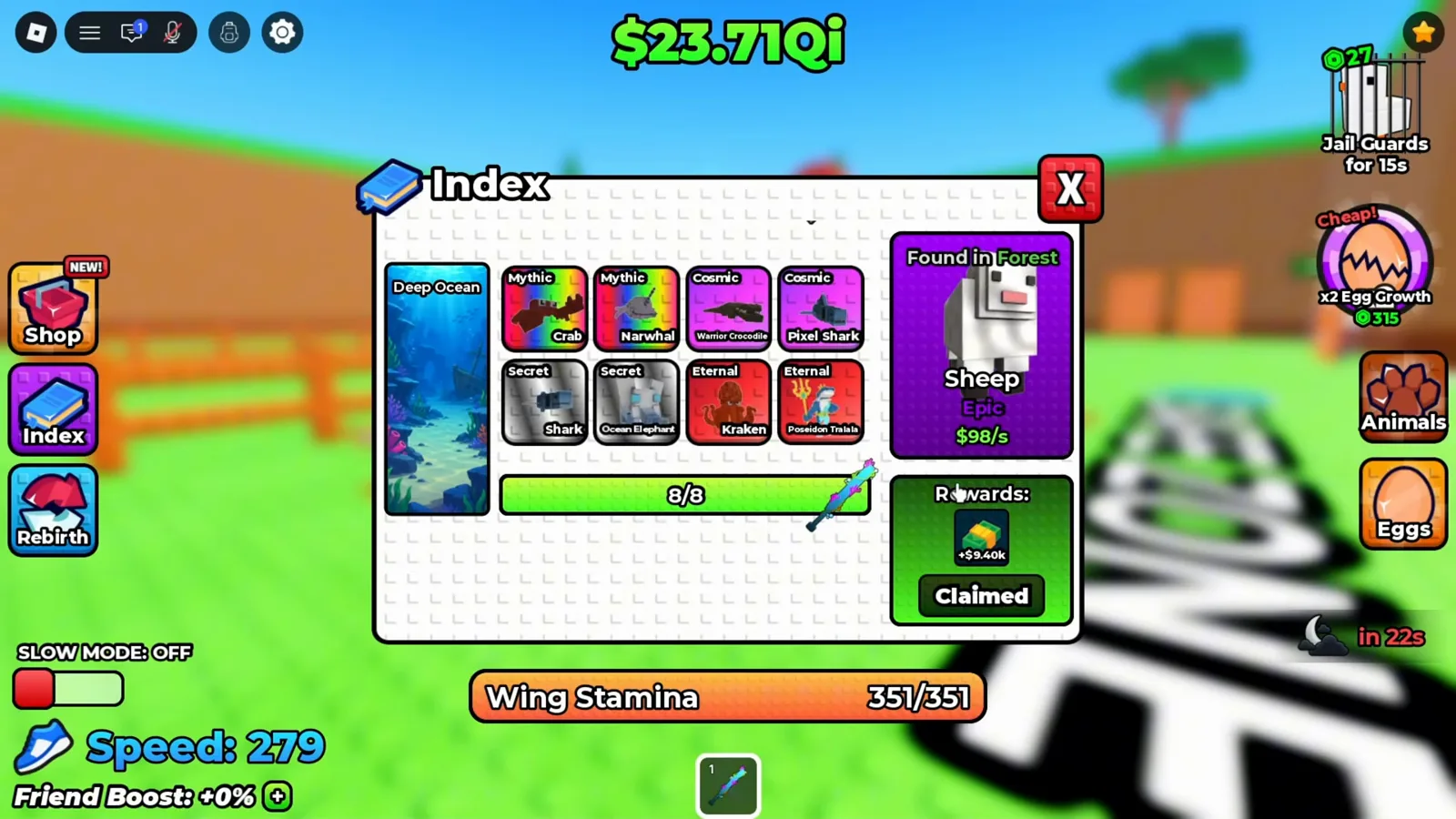
The selected Sheep reward is already Claimed; the adjacent Deep Ocean grid does not make it a Deep Ocean payout. Watch this step · 24:30
Why does the reward say Claimed?
Claimed is the status visible on the later selected reward card. An exclamation mark on the book is a reason to inspect Index, not proof of a new amount. This recording does not test whether a rebirth resets the collection, whether every reward can be claimed again, or how a later update treats previously collected entries. Check the selected card’s current button before planning repeat cash.
Does stealing or hatching trigger a discovery?
The panels prove that discoveries and claimable rewards exist, but these three stills do not isolate the exact registration trigger. Do not assume that every attempted steal, carry or hatch creates another cash claim. Return a new egg safely, follow the game’s hatching flow and then inspect Index for the entry and its status.
How should you use the cash?
Use the reward as part of your upgrade budget, and keep collection cash separate from ongoing pen income. The cash farming guide explains the upgrade order; the hatching guide covers animals and pen slots. For travel, use the eggs and areas route. The Daily Rewards calendar is a separate seven-day gift track, and the code status page distinguishes these rewards from typed codes.
Video source and evidence limits
Floppys Pro — NOOB TO PRO Got BEST EGG in +1 Wings For Eggs!. The full transcript was reviewed and all three exported frames were checked individually. They show game UI without a creator face, watermark or burned-in narration. The late Claimed view is a different entry, not a measured before-and-after test of Chicken or Pink Frog. These frames do not establish reset rules, every region’s reward or the exact discovery trigger.
Related Articles
guides
Daily Rewards in +1 Wings For Eggs: 7-Day Claim Guide
Claim Daily Rewards in +1 Wings For Eggs: see the seven-day animal calendar, collect the $2,500 starter gift, and check why later rewards say Not Ready.
guides
Lava Event in +1 Wings For Eggs: How to Get a Lava Egg
How to spot the Lava Event in +1 Wings For Eggs, reach a Deep Ocean nest, read the Lava tag, and bank the egg before the event window closes.
guides
Candy Castle Biome Live Event in +1 Wings For Eggs (Oct 9–12 UTC)
Live Candy Castle Biome event in +1 Wings For Eggs: the Oct 9–12 UTC window, 8 eggs and animals, Phantom rarity, Bunbun quest, Candy Wings and Blackhole mutation.
Was this helpful?
Thanks for the feedback!